
IPTV Smart Player Online
Use this web-based smart IPTV player to test before importing a stream into a TV app, mobile app, Fire TV, or playlist manager. It is not affiliated with similarly named apps.
This page is a neutral browser tool. It does not impersonate Smart IPTV, IPTV Smarters, TiviMate, or any TV app brand, and it does not provide app files.
Play M3U8 streams instantly in your browser
Paste M3U8 URL to start playing
Supports HLS live streams and video on demand
Free to Use
Completely free, no registration required
Instant Playback
No download needed, play directly in browser
Wide Compatibility
Supports various M3U8/HLS streaming formats
Playlist workflows and live TV clusters
Use the core M3U8 tools as a starting point, then move into focused IPTV playlist manager pages, sports playlist workflows, and country-specific public playlist hubs.
- IPTV Player OnlineTest one authorized IPTV, M3U8, or HLS stream in the browser before playlist handoff.
- Sports playlist managerClean match-day playlist entries before opening or converting a direct stream.
- Japan IPTV playlist managerOrganize Japanese public IPTV channels by region, category, and playback status.
- Indonesia IPTV playlist managerGroup Indonesian M3U channels and keep a smaller list of working streams.
- France IPTV playlist managerClean French IPTV playlists for public news, regions, culture, and sports channels.
- Brazil IPTV playlist managerOrganize Brazilian M3U playlists by Portuguese labels and playback status.
- Arabic IPTV playlist managerOrganize Arabic M3U playlists by country, topic, labels, and browser playback.
- Sports IPTV playlistFind public sports channels and test live match-day streams.
International
China
Utilities
Professional Tools
Powerful M3U8/HLS tools for fast downloading and conversion
What smart IPTV player means here
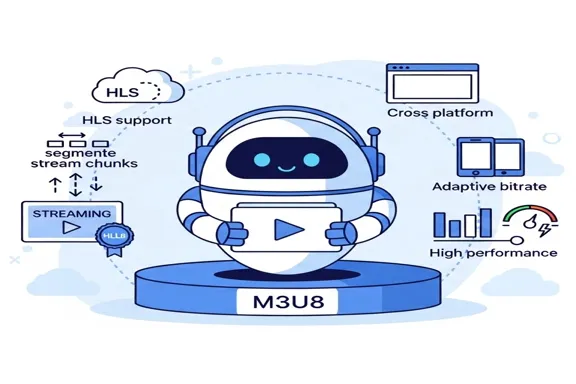
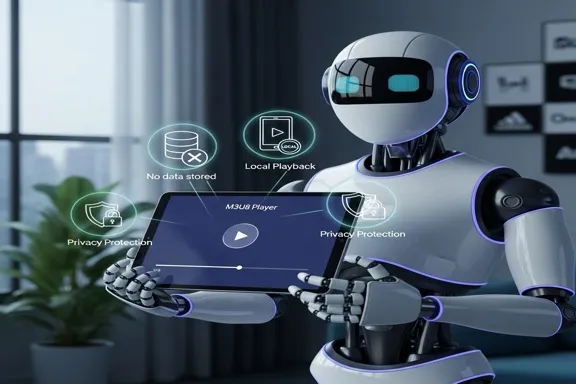
Here, smart means a browser-based checker that helps you test one stream before moving it to another app or device. It is useful when you want a quick signal before a longer TV setup.
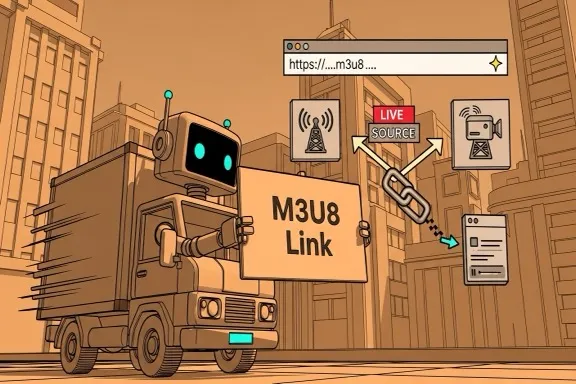
- M3U8 streampaste and test directly
- HLS URLcheck browser playback
- Single channel URLverify before import
- Full M3U playlistinspect with the playlist manager first
Safe testing workflow
Start with a source you are allowed to use, test a single stream in the browser, then import only working and authorized URLs into your smart TV or Fire TV app.
About app and APK queries
Many searches around smart IPTV apps lead to unsafe third-party files. Use trusted app stores and vendor documentation for app installation, then use this page only for stream testing.
What Users Say About IPTV Smart Player Online
Six practical comments from users testing iptv smart player online workflows.
Alex
Playlist Editor
I use this page before importing a stream into a smart TV app, so bad links do not reach the TV workflow.
Maya
Site Owner
The page makes it clear that it is a browser checker, not an app download page, which reduces confusion.
Daniel
Live Stream Operator
Testing one stream here saves time before setting up a Fire TV or mobile player.
Sofia
Content QA Lead
The safety note helps our support team avoid asking users for private account details.
Kenji
Media Center User
The layout feels like the main player page, so the smart IPTV use case still feels native to the site.
Priya
Support Engineer
The FAQ answers the exact app-vs-browser questions users ask before importing playlists.
Frequently Asked Questions
Common questions about IPTV Smart Player Online.
Is this the same as a smart TV IPTV app?
No. It is a browser page for testing stream URLs before you use another app or device.
Can I test a Fire TV playlist here?
You can test a direct stream URL from the playlist. For a full playlist, inspect it first and choose one channel.
Does this page provide app installation files?
No. Use trusted app stores or vendor sites for apps. This page only tests stream playback.
What should I test before importing into a smart IPTV app?
Check whether one direct stream loads, whether audio and video appear, and whether errors point to CORS, tokens, codecs, or source restrictions.
Can I paste account credentials into this page?
No. Use a direct stream URL only. Keep portal credentials and private playlist access details inside the service or app you trust.
Why does a stream work in a TV app but not here?
Some apps use provider-specific login flows, headers, or device authorization. This browser page only tests direct M3U8 or HLS stream URLs.
Test before importing
Use this web-based smart IPTV player to test before importing a stream into a TV app, mobile app, Fire TV, or playlist manager. It is not affiliated with similarly named apps.