
IPTV Player for M3U Playlists
An M3U playlist is not one video stream. Open the list, inspect channels, then select one channel and play its M3U8 or HLS URL in the browser.
The web player plays a selected channel stream. It does not turn a full playlist into a complete TV app with EPG, accounts, or remote-control navigation.
Play M3U8 streams instantly in your browser
Paste M3U8 URL to start playing
Supports HLS live streams and video on demand
Free to Use
Completely free, no registration required
Instant Playback
No download needed, play directly in browser
Wide Compatibility
Supports various M3U8/HLS streaming formats
Playlist workflows and live TV clusters
Use the core M3U8 tools as a starting point, then move into focused IPTV playlist manager pages, sports playlist workflows, and country-specific public playlist hubs.
- IPTV Player OnlineTest one authorized IPTV, M3U8, or HLS stream in the browser before playlist handoff.
- Sports playlist managerClean match-day playlist entries before opening or converting a direct stream.
- Japan IPTV playlist managerOrganize Japanese public IPTV channels by region, category, and playback status.
- Indonesia IPTV playlist managerGroup Indonesian M3U channels and keep a smaller list of working streams.
- France IPTV playlist managerClean French IPTV playlists for public news, regions, culture, and sports channels.
- Brazil IPTV playlist managerOrganize Brazilian M3U playlists by Portuguese labels and playback status.
- Arabic IPTV playlist managerOrganize Arabic M3U playlists by country, topic, labels, and browser playback.
- Sports IPTV playlistFind public sports channels and test live match-day streams.
International
China
Utilities
Professional Tools
Powerful M3U8/HLS tools for fast downloading and conversion
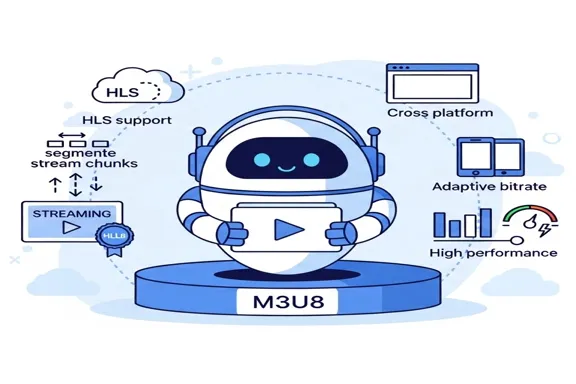
Two-step M3U workflow
First open or check the playlist. Then select one channel URL and paste it into the player. This keeps the player simple and makes playlist problems easier to debug.
- Open the M3U file or URLUse this as a practical check in the two-step m3u workflow workflow.
- Review channel names and groupsConfirm this before moving the stream or playlist into another app.
- Copy one stream URLThis keeps the workflow focused on authorized, browser-testable streams.
- Play that stream in the browserReview this when playback, playlist import, or source trust is unclear.
M3U vs M3U8
M3U is a playlist format that may contain many channels. M3U8 is commonly the HLS stream manifest for one channel. A large IPTV playlist often points to many M3U8 streams.




VLC, Kodi, and TV app handoff
After you select one channel and confirm it works, you can use the same authorized source in VLC, Kodi, or a TV app that supports your playlist format.
What Users Say About IPTV Player for M3U Playlists
Six practical comments from users testing iptv player for m3u playlists workflows.
Alex
Playlist Editor
The page explains the M3U-to-one-stream workflow better than a generic video player page.
Maya
Site Owner
I can inspect a playlist elsewhere, copy one channel, and test the selected M3U8 URL here.
Daniel
Live Stream Operator
The page keeps M3U and M3U8 separate, which prevents a lot of playlist support mistakes.
Sofia
Content QA Lead
The related workflow links make it easy to jump between checker, editor, manager, and player pages.
Kenji
Media Center User
The page is useful when a large playlist needs one channel verified before a TV app import.
Priya
Support Engineer
The FAQ now covers full playlists, EPG expectations, and broken playlist entries in one place.
Frequently Asked Questions
Common questions about IPTV Player for M3U Playlists.
Can I paste an entire M3U playlist into the video player?
Use the playlist tools first. The player is for one selected stream URL, not a full channel guide.
How do I select one channel from an M3U file?
Open the playlist manager or checker, find the channel entry, copy its stream URL, and paste that URL into the player.
Is M3U the same as M3U8?
No. M3U is usually a playlist list. M3U8 is often the HLS manifest for one playable stream.
What should I do if a playlist has hundreds of channels?
Open it in the playlist manager, filter or group the entries, then copy one channel stream URL into the player for testing.
Can this page show EPG or channel logos?
The player focuses on one selected stream. Use playlist tools for channel metadata, groups, logos, and larger list cleanup.
Why do some playlist entries have no playable stream?
The entry may point to an expired URL, a non-HLS format, a portal-only workflow, or a source that blocks browser requests.
Play selected stream
An M3U playlist is not one video stream. Open the list, inspect channels, then select one channel and play its M3U8 or HLS URL in the browser.