
Why an M3U8 Video Downloader Fails: CORS, Expired URLs, DRM, and HLS Segments
Learn why M3U8 video downloads fail, including CORS, expired signed URLs, 403 errors, DRM, live playlists, missing HLS segments, MP4 vs M3U8 confusion, and when to use each tool.
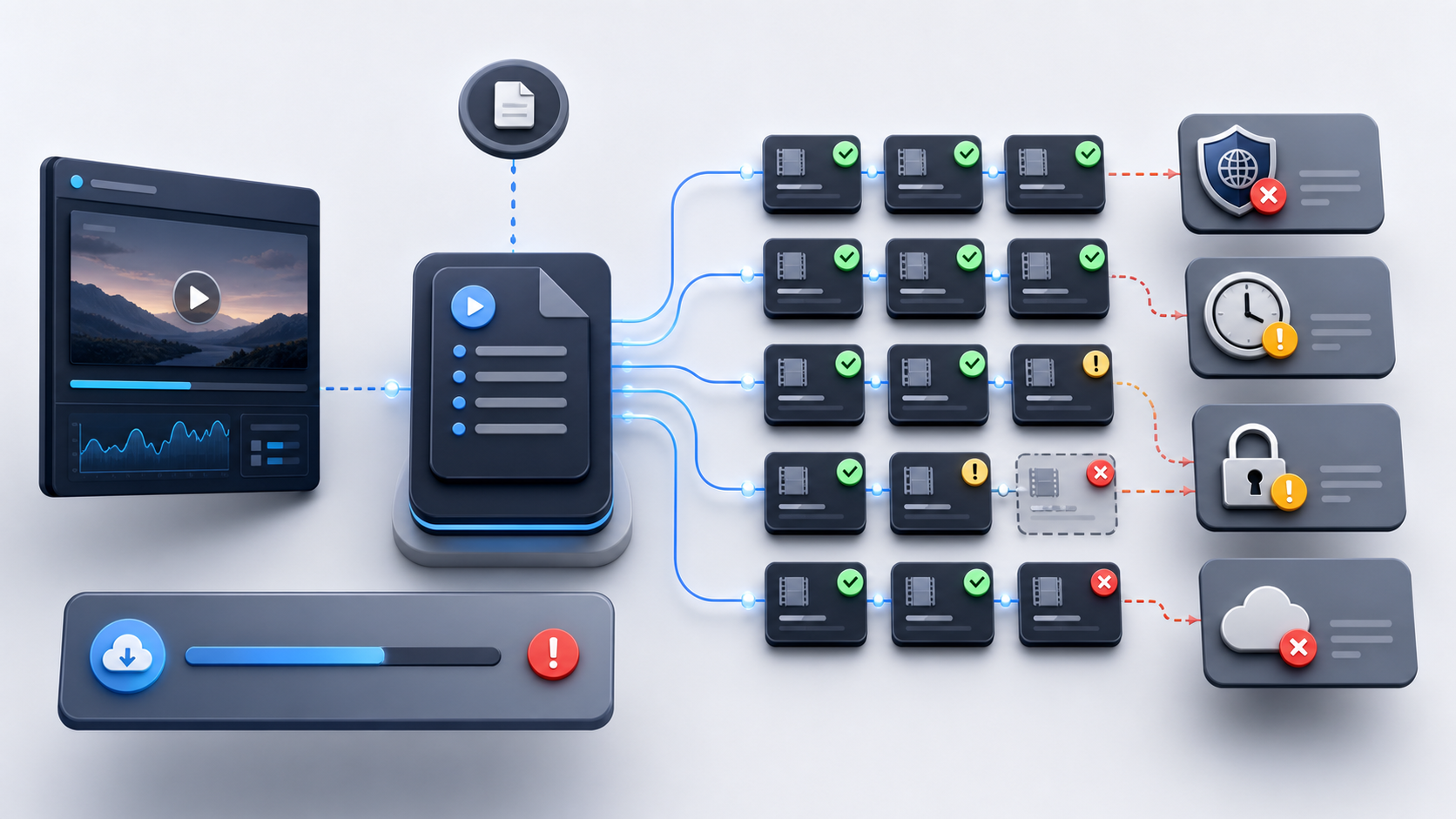
The first time an M3U8 download fails, it feels like the downloader is broken. You paste a link, press download, and get a network error, a frozen progress bar, a tiny broken file, or nothing at all.
But most M3U8 failures are not random. They happen because an M3U8 URL is not a single video file. It is part of an HLS delivery chain.
TL;DR: An M3U8 downloader fails when the playlist, segments, keys, browser rules, server permissions, or stream type do not line up. Before changing tools, identify whether the source is HLS/M3U8, direct MP4, DASH/MPD, expired, CORS-blocked, live-only, or DRM-protected.
This guide gives you a safe troubleshooting framework. It will help you decide when to use an M3U8 Downloader, M3U8 to MP4, MP4 Downloader, Online Video Downloader, or the Chrome extension for detection.
What an M3U8 File Really Is
An M3U8 file is a UTF-8 playlist used by HTTP Live Streaming, usually called HLS.
It is not the same as an MP4 file.
An MP4 file is a single media container. You request it, the server sends the file, and a downloader can save it directly.
An M3U8 playlist is different. It may point to:
- A master playlist with multiple quality levels.
- A media playlist with video segments.
.tsor fragmented MP4 segments.- Audio tracks.
- Subtitle tracks.
- Encryption key references.
- Live playlist updates.
- Relative segment URLs.
That means an M3U8 downloader has more work to do:
- Fetch the playlist.
- Detect whether it is a master playlist or media playlist.
- Choose the right variant or track.
- Resolve segment URLs.
- Download many media segments.
- Handle retries and missing pieces.
- Merge or remux the result into a usable file.
If any link in that chain fails, the download can fail.
Download and inspect M3U8 video streams
Use the downloader when you need to parse an HLS playlist, fetch segments, and export a local video file.
Quick Diagnosis Table
Use this table before you try another random downloader.
| Symptom | Likely cause | What to check | Best next step |
|---|---|---|---|
| Browser downloader says CORS or Network Error | Cross-origin browser request blocked | Does VLC or the original page play it? | Classify with Chrome extension, then use the right tool |
Link worked earlier but now returns 403 or 404 |
Expired or signed URL | Does the URL include token, expires, sig, or similar? |
Capture a fresh authorized URL; do not edit the token |
| Download stops at a percentage | Missing segment, timeout, server throttling | Which segment fails first? | Retry with lower concurrency or use M3U8-specific download flow |
| Output file has video but no audio | Alternate audio track not handled | Does the master playlist list separate audio renditions? | Use a tool that handles HLS variants and tracks |
| Download never finishes | Live playlist without ENDLIST |
Is this a live stream or VOD? | Download only the available live window, or stop if no archive exists |
| Tool says unsupported format | Source is MP4, MPD, or blob: rather than HLS |
Inspect URL and response type | Use MP4 Downloader, classify with extension, or stop if not HLS |
| All tools fail on a paid streaming page | DRM, session-only access, or provider restrictions | Look for license requests or login-only access | Stop download attempts and use authorized playback |
1. CORS Blocks the Browser Download
CORS stands for Cross-Origin Resource Sharing. It is a browser security mechanism that controls whether a web page from one origin can read resources from another origin.
For M3U8 downloads, CORS can block:
- The master playlist.
- The media playlist.
- Video segments.
- Audio segments.
- Subtitle files.
- Key files for standard HLS encryption.
This is why a stream can play on the original website but fail in a third-party browser downloader. The original site may be allowed to read its own media requests. Your downloader page may not be allowed to read them.
Simple test: try the same direct stream in VLC. If VLC plays it but the browser downloader fails with CORS, the issue is probably browser request policy, not a dead stream.
What not to do: do not disable browser security, install unknown CORS bypass extensions, or copy private cookies into random tools.
Best tool path: use the Chrome extension to detect whether the media is M3U8, MP4, or something else. If it is a public, accessible HLS stream, use M3U8 Downloader or M3U8 to MP4. If it is direct MP4, use MP4 Downloader.
2. The URL Expired
Many video URLs are signed or tokenized. They are designed to work only for a limited time.
You may see this pattern:
- You open a page and the video plays.
- You copy the
.m3u8URL. - The downloader starts.
- A few minutes later, the playlist or segment requests return
403,404, or410.
This usually means the URL was temporary.
Look for query parameters such as:
expires=
exp=
token=
signature=
sig=
Policy=
Key-Pair-Id=
These parameters are not decoration. They are part of the server’s access control.
Safe fix: refresh the original page or authorized source and detect the current media URL again.
What not to do: do not try to modify the expiry time, forge the signature, or share signed URLs. If the server rejects the URL after it expires, the downloader cannot make it valid again.
3. The Server Returns 403, 404, or 410
HTTP status codes tell you where the failure begins.
| Code | Meaning | What it usually means for video |
|---|---|---|
403 Forbidden |
Server understood the request but refuses it | Missing authorization, expired token, blocked origin, region limit, or provider restriction |
404 Not Found |
Resource not found | Dead URL, moved segment, expired hidden resource, or wrong path |
410 Gone |
Resource permanently removed | The resource is intentionally no longer available |
Do not treat every 403 as a downloader bug. The downloader requested the file, and the server refused.
Check the first failed request:
- Did the master playlist fail?
- Did the media playlist fail?
- Did one segment fail?
- Did the key file fail?
- Did audio or subtitles fail?
That first failure tells you what kind of problem you have.
If the direct source is a public M3U8 stream, try M3U8 Downloader. If the URL is direct .mp4, use MP4 Downloader. If the source consistently returns 403 or 410, move to troubleshooting rather than conversion.
4. The Stream Requires Cookies, Session, or Login Context
Some video pages work only inside a logged-in session. The media request may depend on:
- Cookies.
- Authorization headers.
- Referrer checks.
- Session-bound tokens.
- Device or account restrictions.
This creates a common confusion: “The page plays, so why can’t the downloader download it?”
The answer is that the page’s player may have context your downloader does not have.
Safe check: determine whether the URL works in a clean browser session or another device where you are not logged in. If it fails there, the media is probably session-bound.
What not to do: do not export cookies, replay private authorization headers, or paste session data into third-party tools. That can expose your account and may violate the service terms.
When a stream is session-only, the right answer may be: use the authorized player, not a downloader.
5. DRM Is Not the Same as Standard HLS Encryption
This distinction matters.
Some HLS streams use standard HLS encryption, such as an EXT-X-KEY tag with AES-128. In that case, the playlist may reference a key URI that authorized clients can fetch.
DRM-protected streams are different. They use a content protection system such as Widevine, FairPlay, or PlayReady. In the browser, DRM usually involves Encrypted Media Extensions, a Content Decryption Module, and a license exchange.
Standard HLS encryption is part of HLS. DRM is a separate content protection workflow.
Generic M3U8 downloaders should not be positioned as DRM bypass tools. If the stream requires a license server or CDM, stop trying to download it and use the authorized playback path.
6. The Playlist Is Live and Has No Full Archive
A live HLS playlist can keep changing. New segments appear, old segments disappear, and the playlist may never include EXT-X-ENDLIST.
For a downloader, that changes the job.
If the playlist is VOD, the downloader can usually aim for a complete file.
If the playlist is live, the downloader may only be able to save the current live window from the moment you start. It cannot download historical segments that the server no longer lists.
Check for:
#EXT-X-ENDLIST
#EXT-X-PLAYLIST-TYPE:VOD
#EXT-X-PLAYLIST-TYPE:EVENT
If there is no ENDLIST, ask a simple question: am I trying to download a complete video, or am I trying to record a live stream from now forward?
Those are different tasks.
7. Segments Are Missing or Relative URL breaks
An HLS media playlist often references many segment files:
#EXTM3U
#EXT-X-TARGETDURATION:6
#EXTINF:6.0,
seg-001.ts
#EXTINF:6.0,
seg-002.ts
#EXTINF:6.0,
seg-003.ts
#EXT-X-ENDLIST
Notice that these segment URLs are relative. seg-001.ts is not a complete URL by itself. It must be resolved relative to the playlist URL.
If you copy the playlist text into a local file and lose the original base URL, the downloader may not know where the segments live.
Other segment problems include:
- One segment returns
404. - The server times out.
- The CDN throttles repeated requests.
- Audio and video are in separate tracks.
- The selected variant has a bad segment while another quality level works.
Best fix: use the original playlist URL when possible, not a detached copy of the playlist text. If a specific segment fails, lower concurrency or test a different variant.
8. The Source Is MP4, Not M3U8
Sometimes the issue is simply that you are using the wrong tool.
If the media URL is a direct .mp4, you do not need an M3U8 downloader. There is no HLS playlist to parse and no segment list to merge.
Use MP4 Downloader for direct MP4 URLs.
This is also why tool pages should have clear boundaries:
- MP4 Downloader is for direct
.mp4files. - M3U8 Downloader is for HLS playlists and segments.
- M3U8 to MP4 is for exporting HLS into an MP4 or another local format.
- Online Video Downloader is useful when you first need to detect or classify the source.
Clear tool selection prevents wasted time and helps Google understand that these pages serve different intents.
9. The Source Is MPD/DASH, Not HLS
An .mpd URL is usually MPEG-DASH, not HLS.
DASH uses an MPD manifest. HLS uses M3U8 playlists. They are both adaptive streaming technologies, but they are not the same protocol.
If your detector finds .mpd, do not force it into an M3U8 workflow. The correct next step is format classification, not another M3U8 downloader.
10. The Page Shows Only a Blob URL
A blob: URL is usually not the original media file.
Modern web players may use JavaScript and Media Source Extensions to create a browser-local object URL. That blob: reference points to a browser-managed media object, not to the original playlist or segment URL.
If you only see:
blob:https://example.com/...you still need to identify the real network requests behind the player.
This is where a Chrome extension or browser Network panel can help with detection. The goal is not to bypass authorization. The goal is to classify what the page actually requested: M3U8, MP4, MPD, subtitles, segments, or something protected.
Which Tool Should You Use?
Use this decision tree.
Use M3U8 Downloader when the source is public, authorized HLS
Choose M3U8 Downloader when:
- The source is a valid
.m3u8playlist. - The playlist and segments are reachable.
- The stream is not DRM-protected.
- You mainly need to fetch and merge HLS segments.
This is the right first choice when you want the original HLS content saved locally and do not need heavy format conversion.
Use M3U8 to MP4 when you need a local MP4 output
Choose M3U8 to MP4 when:
- You have confirmed the source is HLS.
- You need an MP4, MKV, WebM, or another local output.
- You may need remuxing or transcoding.
- You understand that browser-based conversion depends on CPU, memory, and file size.
If you only need to save the original stream, download first. Convert only when the output format matters.
Use MP4 Downloader when the source is direct MP4
Choose MP4 Downloader when:
- The URL points directly to an
.mp4file. - The file is public or authorized.
- You do not need HLS parsing.
Do not send direct MP4 URLs into an M3U8 workflow unless you enjoy creating fake problems.
Use Online Video Downloader or Chrome extension to classify the URL
Choose Online Video Downloader or the Chrome extension when:
- You can play a video but cannot find the media URL.
- You need to know whether the request is M3U8, MP4, MPD, or something else.
- You see
blob:in the page source. - You want to separate detection from downloading.
The extension can help detect media requests. It does not grant authorization, remove DRM, or make expired links valid again.
Safe Troubleshooting Checklist
Use this checklist in order.
- Confirm the format. Is it
.m3u8,.mp4,.mpd, orblob:? - Open the playlist. Does it contain HLS tags such as
#EXTM3U,#EXT-X-STREAM-INF, or#EXTINF? - Find the first failing request. Is the failure on the master playlist, media playlist, segment, key, audio, or subtitle?
- Check HTTP status. Is it
403,404,410,408, or504? - Look for expiration. Does the URL contain token or signature parameters?
- Compare browser and desktop playback. If VLC works but the browser fails, suspect CORS.
- Check live vs VOD. Does the playlist have
EXT-X-ENDLIST? - Watch for DRM. License requests or EME behavior means generic downloaders are not the right path.
- Choose the right tool. M3U8 Downloader for HLS, M3U8 to MP4 for conversion, MP4 Downloader for direct MP4.
- Stop at authorization boundaries. Do not copy cookies, forge tokens, extract keys, or bypass DRM.
FAQ
Why does my M3U8 downloader fail?
An M3U8 downloader usually fails because HLS is not a single file. The downloader must fetch playlists, segments, tracks, and sometimes keys. CORS, expired URLs, 403 errors, missing segments, live playlists, and DRM can break that chain.
Why can I play a video but not download it?
The original player may have the correct origin, session, cookies, headers, and media pipeline. A third-party downloader may not have permission to read the same playlist or segments.
What does CORS mean for M3U8 downloads?
CORS means the browser blocked a cross-origin request. It can stop a web downloader from reading a playlist or segment even if a native player like VLC can play the same stream.
Why do M3U8 URLs expire?
Many platforms use signed or tokenized URLs. These URLs work only for a limited time. When the token expires, the server can return 403, 404, or another error.
Is M3U8 the same as MP4?
No. M3U8 is a playlist used by HLS. MP4 is a single media file. Use an M3U8 tool for HLS playlists and an MP4 downloader for direct .mp4 URLs.
Can I convert M3U8 to MP4?
Yes, if the HLS stream is public or authorized, technically accessible, and not DRM-protected. Use M3U8 to MP4 when you need a local MP4 output, not when the real problem is authorization or expiration.
Why does a live M3U8 download never finish?
Live playlists may keep updating and may not include EXT-X-ENDLIST. A downloader may only capture the current live window, not a complete archive.
Why does the downloaded file have no audio?
The HLS master playlist may use separate audio renditions. If the tool downloads only the video variant and misses the alternate audio track, the output can be silent.
Can a Chrome extension detect M3U8 streams?
Yes, a Chrome extension can observe many media requests made by the browser and help classify them. It can detect; it does not bypass DRM, login requirements, expired tokens, or server restrictions.
What should I do if the source is DRM-protected?
Use the authorized playback method. Generic M3U8 downloaders are not DRM bypass tools, and a legitimate troubleshooting guide should not provide license or key extraction steps.
The Bottom Line
An M3U8 video downloader fails when the HLS delivery chain breaks, not just when the tool is weak. Classify the source first, find the first failed request, respect authorization boundaries, and then choose the right tool: M3U8 Downloader for HLS, M3U8 to MP4 for output conversion, MP4 Downloader for direct MP4, and the Chrome extension for detection.