
Drop MP3 file here or click to select
Supports .mp3 audio files
WAV output is uncompressed and larger than MP3
Max file size: 500MB
Multiple Formats
Supports MP4/WEBM/MKV/AVI and more
No Installation
Powered by FFmpeg.wasm, runs in browser
Full Quality Control
Customize CRF, resolution, codec parameters
Supported formats and output details
Focused conversion from MP3 input to WAV output for clean, simple audio workflows.
MP3 Input Only
Upload standard .mp3 audio files from voice recordings, podcasts, music exports, or downloaded audio assets.
WAV Output
Export to WAV for editing, archiving, or compatibility testing with apps and devices that prefer uncompressed PCM audio.
No Upload Required
The converter runs entirely in your browser with FFmpeg.wasm, so files stay on your device from start to finish.
No Quality Preset Guesswork
WAV output is straightforward, so you do not need to choose a bitrate. The tool creates a practical 44.1 kHz stereo WAV file automatically.
Fast Local Conversion
Most everyday MP3 files convert quickly on modern browsers without installing desktop software or extensions.
Designed for Real Workflows
Use the output for editing, sound cleanup, lesson preparation, archive review, or import into tools that reject MP3 input.
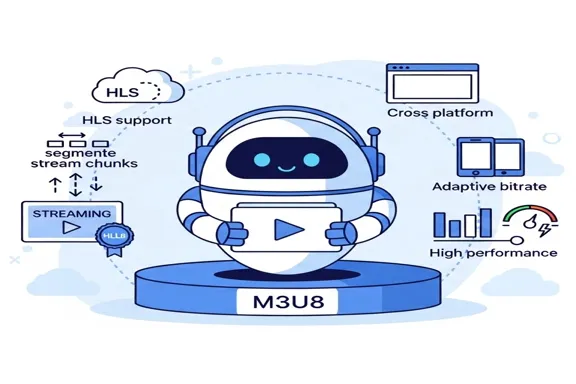
Why use MP3 to WAV
MP3 is compact and convenient, but WAV is often easier to work with in editing software, music production workflows, and archive review. Converting MP3 to WAV does not restore information lost by MP3 compression, but it gives you an uncompressed output that many tools handle more predictably.
- Better for Editing PipelinesWAV is widely accepted by DAWs, waveform editors, podcast cleanup tools, and transcription workflows that prefer uncompressed audio input.
- Predictable File BehaviorSome broadcast, mastering, or legacy systems handle WAV more consistently than MP3, especially when you need a simple PCM file for import or handoff.
- Private Local ProcessingEverything happens in your browser, so your source MP3 never needs to be uploaded to a remote server just to change formats.
When WAV makes more sense than MP3
WAV files are larger, but they fit situations where compatibility, editing stability, and uncompressed delivery matter more than storage savings.
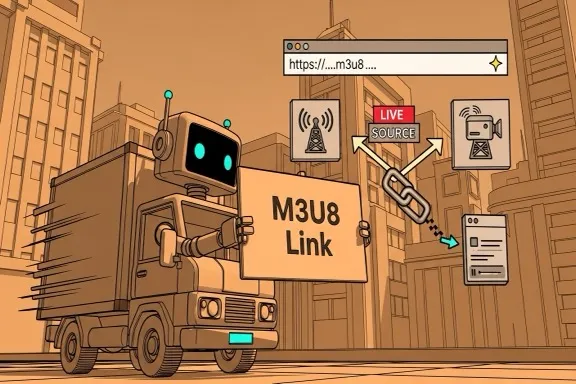
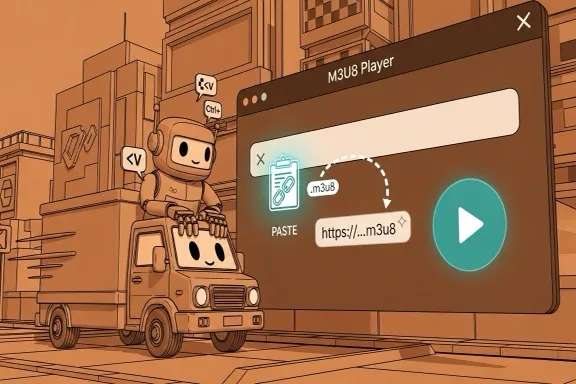

How to convert MP3 to WAV
A short workflow that keeps the conversion simple and predictable.
Step 1 — Open the converter
Use the converter at the top of this page. It runs in your browser, so there is no installer, account, or upload queue to deal with.
Step 2 — Add your MP3 file
Drag and drop a local .mp3 file or click to select one from your device. The tool only accepts MP3 input for this page, which keeps the interaction focused and clear.
Step 3 — Start conversion
Click the convert button and let FFmpeg.wasm create a WAV version locally in your browser. Most short or medium-length files finish quickly.
Step 4 — Download the WAV file
When the conversion completes, the WAV file downloads automatically and you can save it under the original file name with a .wav extension.
Step 5 — Use it in your next workflow
Import the WAV file into audio editors, archive folders, course systems, DAWs, or review tools that work better with uncompressed audio.
Built for practical audio conversion
Simple browser-side conversion for editing and archive workflows.
Monthly Tool Sessions
25K+
Across browser audio workflows
Typical Success Rate
>97%
For common MP3 inputs
Average Conversion Time
<20s
On standard desktop hardware
What users say
Feedback from people who need MP3 to WAV for real production tasks.
Natalie Brooks
Podcast Producer
I often receive MP3 interview drafts from guests, but my editor behaves better with WAV imports. This page gives me a quick local conversion without sending client audio anywhere.
Kenji Sato
Music Teacher
Some classroom tools only accept WAV for waveform exercises. Converting student MP3 recordings here is faster than opening desktop software every time.
Lina Ortega
Localization Manager
We review voice samples across several apps, and WAV is the safest handoff format. This browser converter is simple enough for non-technical teammates to use.
Marcus Webb
Sound Designer
A lot of the reference tracks I get are MP3. I convert them to WAV before dropping them into my session so the DAW handles them cleanly without any format complaints.
Priya Nair
E-learning Developer
Our authoring platform requires WAV for audio narration imports. This tool lets me convert MP3 recordings from remote trainers locally before uploading. Quick and private.
Thomas Müller
Broadcast Engineer
Some of our archive ingest pipelines only accept WAV. When we get MP3 deliverables from external producers, this converter handles the format shift fast without needing server access.
MP3 to WAV FAQ
What is the difference between MP3 and WAV?
MP3 is a compressed, lossy format designed to keep files small. WAV usually stores uncompressed PCM audio, which makes files much larger but easier for many editors, archive tools, and playback systems to process without extra decoding steps. MP3 is better for sharing and storage efficiency, while WAV is often better for editing and delivery workflows that prefer uncompressed audio.
Why would someone convert MP3 to WAV?
People convert MP3 to WAV when an app, recorder, DAW, or archive workflow expects WAV input. This is common in podcast editing, music lessons, voiceover cleanup, broadcast handoff, and transcription pipelines. The conversion does not recreate detail already lost in MP3 compression, but it does give you a format that is easier to import, trim, and process in many audio tools.
Will the WAV file be larger than the original MP3?
Yes. WAV output is much larger because it stores audio without the same kind of compression used by MP3. If your goal is editing, compatibility, or archive review, the larger file can be worth it. If your goal is small file size for sharing, you should usually stay with MP3 or convert WAV back to MP3 after editing is complete.
Does converting MP3 to WAV improve audio quality?
No. Converting MP3 to WAV does not restore information removed by MP3 compression. The main advantage is workflow compatibility, not magical quality recovery. You are wrapping the existing audio into an uncompressed format so future edits or tool imports happen in a more stable format, but the source quality is still limited by the original MP3.
Is this MP3 to WAV converter private?
Yes. The conversion runs locally in your browser using FFmpeg.wasm, so your MP3 file does not need to be uploaded to a server. That makes it useful for interview clips, internal training material, or any audio you do not want to hand off to a third-party conversion queue.
When is WAV a better choice than MP3?
WAV is a better choice when you need broad compatibility with editors, cleaner behavior in production tools, or an uncompressed handoff format for audio work. It is commonly preferred for multi-step editing, waveform analysis, classroom or lab software, and archive delivery. MP3 remains better for small downloads, quick sharing, and storage efficiency.
Convert MP3 to WAV in your browser
Use the converter above to create a local WAV file with no upload. If you need adjacent workflows, jump to the related tools below.