
여기에 GIF 파일을 놓거나 클릭해서 선택하세요
애니메이션 .gif 파일을 지원합니다
가로와 세로를 조정하고 필요하면 종횡비를 고정할 수 있습니다
최대 파일 크기: 80MB
다양한 형식 지원
MP4/WEBM/MKV/AVI 등 주요 형식으로 원클릭 변환. 플레이어/편집툴과 높은 호환성.
로컬 변환, 업로드 불필요
FFmpeg.wasm 기반으로 브라우저에서 동작. 설치 없이 사용, 프라이버시 안전.
품질 완전 제어
CRF, 해상도, 코덱, 비트레이트 설정으로 품질과 용량을 균형 있게 조절.
이 도구가 필요한 상황
문서, 소셜 게시물, 티켓, 제품 업데이트 등에서 GIF 크기가 맞지 않을 때 원하는 픽셀 크기로 바로 조정할 수 있습니다.
- 목표 크기로 직접 조절자동 축소에 맡기지 않고 너비와 높이를 직접 지정할 수 있습니다.
- 애니메이션 유지출력 후에도 움직이는 GIF 상태가 유지됩니다.
- 종횡비 잠금 지원원래 비율을 유지하거나 잠금을 해제해 원하는 크기를 지정할 수 있습니다.
핵심 기능
안정적인 GIF 리사이즈에 필요한 요소만 담았습니다
너비와 높이 개별 입력
문서, 공지, 소셜 카드에 맞는 목표 크기를 직접 입력할 수 있습니다.
치수 값 사전 검증
처리 전에 입력값을 확인해 잘못된 실행을 막습니다.
로컬 처리
GIF는 브라우저에서 처리되며 외부 서비스로 업로드되지 않습니다.
Why use this GIF resizer
When a GIF is too large for layout slots, too small for readability, or stretched by automatic rendering, resizing is the cleanest fix. This page keeps that operation explicit and repeatable.

How to resize GIF online
A clear six-step workflow for animated GIF resizing
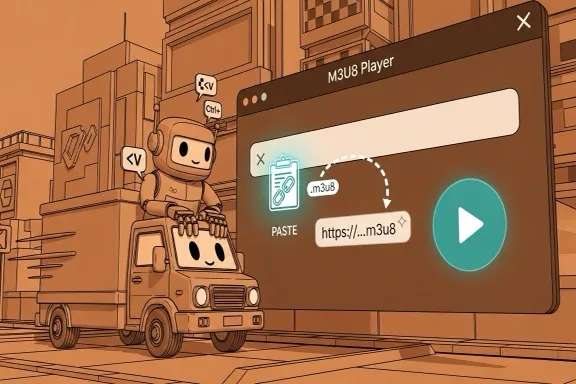
Step 1 - Open the GIF resizer
Go to the resizer section and start without account setup or desktop installation.
Step 2 - Upload your GIF
Drag and drop a GIF file or pick one from local storage. The tool validates file type and size before processing.
Step 3 - Review source dimensions
Check original width and height so you can set a target size that fits your destination layout.
Step 4 - Set width and height
Enable keep-aspect mode for proportional scaling, or disable it for custom dimensions with full control.
Step 5 - Run resizing
Start processing and monitor progress in the UI. Validation catches invalid dimensions before execution.
Step 6 - Download resized GIF
Download the output file with a -resized suffix and verify playback in your target app or page.
Designed for repeat GIF delivery
Dimension control for docs, social, and product communication workflows
Resize controls
Width + Height
Explicit numeric target dimensions
Aspect handling
On / Off
Lock ratio or set custom values
Output format
Animated GIF
Playback behavior retained
What users say
How teams use GIF resizing in real publishing pipelines
Avery Long
Technical Writer
Our docs have fixed content widths, so random GIF dimensions break readability. This resizer lets me hit exact targets quickly without reopening design software.
Riku Tanaka
QA Specialist
I share many animated bug reproductions. The keep-aspect switch helps me resize for ticket systems while preserving motion clarity.
Camila Duarte
Growth Marketer
Social posts often need strict dimensions. The custom width-height path plus local processing made our campaign prep much faster.
자주 묻는 질문
크기, 비율, 출력에 대한 기본 안내
조절 후에도 애니메이션이 유지되나요?
예. 출력 파일은 계속 애니메이션 GIF입니다.
비율 잠금은 어떤 역할을 하나요?
켜면 너비를 바꿀 때 높이도 자동으로 바뀌어 원래 비율을 유지합니다.
너비와 높이를 자유롭게 입력할 수 있나요?
네. 비율 잠금을 끄면 각각 따로 입력할 수 있습니다.
실패하면 어떻게 하나요?
GIF 손상 여부와 입력 치수를 확인한 뒤, 무거운 브라우저 탭을 닫고 다시 시도하세요.
GIF 크기 조절 시작
필요하면 이어서 압축이나 다른 형식 변환도 진행할 수 있습니다.