
Video dosyasini buraya birakin veya secmek icin tiklayin
MP4, MOV, MKV ve WebM video dosyalarini destekler
Sesi tarayicinizda yerel olarak cikarir. Yukleme gerekmez.
Maksimum dosya boyutu: 500MB
Cikti formati
MP3 bitrate
Çoklu Formatlar
MP4/WEBM/MKV/AVI ve daha fazlasını destekler
Kurulum Yok
FFmpeg.wasm tarafından desteklenir, tarayıcıda çalışır
Tam Kalite Kontrolü
CRF, çözünürlük ve kodek parametrelerini özelleştirin
Bu arac ne yapar
Goruntuye degil sadece sese ihtiyaciniz varsa bu arac videodaki ses kanalini dogrudan ayirir. Roprtajlar, egitim videolari ve arsiv isleri icin uygundur.
- Sesi dogrudan ayirinYalnizca sesi almak icin agir bir kurgu yazilimi acmaniza gerek kalmaz.
- Kullanim amacina uygun ciktiMP3 paylasim icin, WAV kurgu icin, M4A ise boyut ve kalite dengesi icin uygundur.
- Yerel islemeDosya tarayicida islenir ve harici bir sunucuya gonderilmez.
Temel ozellikler
Videodan sese basit ve kararlı bir akis
Yaygin video formatlari
MP4, MOV, MKV ve WebM dogrudan desteklenir.
Uc ses cikti formati
Ihtiyaca gore MP3, WAV veya M4A disa aktarabilirsiniz.
Net durum gostergesi
Yukleme, donusturme, tamamlama ve hata durumlari acikca gorunur.
Why use this extractor
Most users do not need a full nonlinear editing session just to keep the sound track. They need a reliable extraction pass that is quick, private, and easy to repeat. This page is optimized for that exact job.

How to extract audio from video online
A straightforward six-step workflow
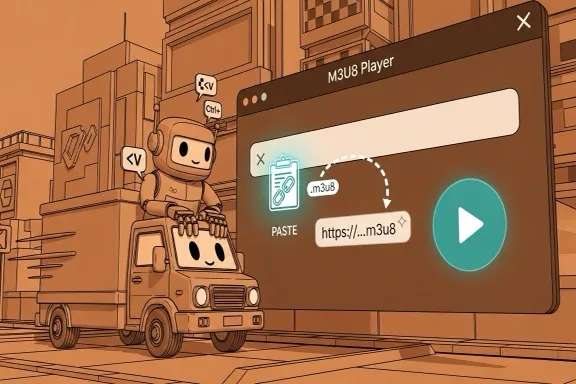
Step 1 - Open the extractor
Go to the extraction area on this page. No account, plugin, or desktop installation is required before you start.
Step 2 - Upload your video
Drag and drop or select MP4, MOV, MKV, or WebM. If validation fails, first check extension and source size.
Step 3 - Choose output format
Pick MP3, WAV, or M4A based on where the file will be used next. Keep the decision explicit for cleaner downstream workflows.
Step 4 - Set MP3 bitrate when needed
If output is MP3, choose 128 for lightweight drafts, 192 for balanced usage, or 320 for higher fidelity review and sharing.
Step 5 - Start extraction
Run extraction and monitor progress. Large files may take longer depending on your local machine, but no remote queue is involved.
Step 6 - Download and verify
Download the output with the original base filename and new extension. Open it in your target tool to confirm quality and compatibility.
Made for repeat extraction tasks
A stable conversion path for practical team workflows
Input formats
4
MP4, MOV, MKV, WebM
Output formats
3
MP3, WAV, M4A
Privacy model
Local
No server upload required
What users say
Feedback from teams that frequently split audio from source video
Megan Ortiz
Podcast Producer
We get interview recordings as video all the time. This tool saves us from opening a full editor when we only need the audio track for production prep.
Kenji Watanabe
Learning Content Manager
Our training team extracts narration from webinars for transcript review. The local processing model is a big plus for internal material.
Priya Shah
Marketing Editor
For campaign workflows, quick MP3 extraction is enough most days. The bitrate option helps us keep file size under control for fast approvals.
Sik sorulan sorular
Formatlar ve isleme hakkinda temel bilgiler
Video sunucuya yukleniyor mu?
Hayir. Islem tarayicida yerel olarak yapilir ve kaynak dosya cihazinizda kalir.
Hangi giris formatlari destekleniyor?
Su anda MP4, MOV, MKV ve WebM destekleniyor.
Hangi ses formatlarini disa aktarabilirim?
MP3, WAV ve M4A ciktilari alinabilir.
Hata olursa ne yapmaliyim?
Dosyanin bozuk olmadigini ve formatin desteklendigini kontrol edin, sonra agir tarayici sekmelerini kapatip yeniden deneyin.
Ses cikarmaya baslayin
Islem bittikten sonra diger araclarla format donusturme veya kirpma yapabilirsiniz.