
ここに動画ファイルをドロップするか、クリックして選択
MP4、MOV、MKV、WebM の動画ファイルに対応
ブラウザ内でローカルに音声を抽出します。アップロードは不要です。
最大ファイルサイズ: 500MB
出力形式
MP3 ビットレート
複数フォーマット対応
MP4/WEBM/MKV/AVI など主要形式へワンクリック変換。各種プレーヤー・編集ソフトと高い互換性。
ローカル変換・アップロード不要
FFmpeg.wasm によりブラウザ内で動作。インストール不要でプライバシーも安心。
品質を細かく制御
CRF・解像度・コーデック・ビットレートを調整し、画質とサイズの最適バランスを実現。
このツールでできること
映像は不要で音声だけが必要な場面に向けたツールです。会議録音、講義動画、インタビュー素材から音声だけを素早く取り出せます。
- 動画から直接音声を抽出編集ソフトを開かずに、動画から音声トラックだけを保存できます。
- 用途に応じた出力形式MP3 は共有向け、WAV は編集向け、M4A は容量と音質のバランスに適しています。
- ローカル処理ファイルはブラウザ内で処理されるため、外部サーバーへのアップロードは不要です。
主な機能
動画から音声へ、わかりやすく安定した変換フロー
主要な動画形式に対応
MP4、MOV、MKV、WebM をそのまま入力できます。
3 つの音声形式を出力
MP3、WAV、M4A を選択でき、用途に応じた書き出しが可能です。
進行状況が明確
読み込み、変換、完了、失敗が画面上で分かるため、原因を追いやすくなっています。
Why use this extractor
Most users do not need a full nonlinear editing session just to keep the sound track. They need a reliable extraction pass that is quick, private, and easy to repeat. This page is optimized for that exact job.

How to extract audio from video online
A straightforward six-step workflow
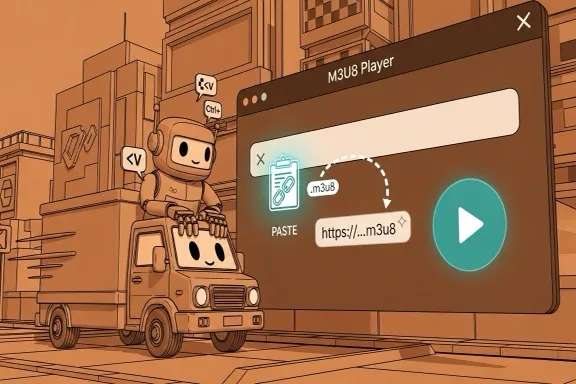
Step 1 - Open the extractor
Go to the extraction area on this page. No account, plugin, or desktop installation is required before you start.
Step 2 - Upload your video
Drag and drop or select MP4, MOV, MKV, or WebM. If validation fails, first check extension and source size.
Step 3 - Choose output format
Pick MP3, WAV, or M4A based on where the file will be used next. Keep the decision explicit for cleaner downstream workflows.
Step 4 - Set MP3 bitrate when needed
If output is MP3, choose 128 for lightweight drafts, 192 for balanced usage, or 320 for higher fidelity review and sharing.
Step 5 - Start extraction
Run extraction and monitor progress. Large files may take longer depending on your local machine, but no remote queue is involved.
Step 6 - Download and verify
Download the output with the original base filename and new extension. Open it in your target tool to confirm quality and compatibility.
Made for repeat extraction tasks
A stable conversion path for practical team workflows
Input formats
4
MP4, MOV, MKV, WebM
Output formats
3
MP3, WAV, M4A
Privacy model
Local
No server upload required
What users say
Feedback from teams that frequently split audio from source video
Megan Ortiz
Podcast Producer
We get interview recordings as video all the time. This tool saves us from opening a full editor when we only need the audio track for production prep.
Kenji Watanabe
Learning Content Manager
Our training team extracts narration from webinars for transcript review. The local processing model is a big plus for internal material.
Priya Shah
Marketing Editor
For campaign workflows, quick MP3 extraction is enough most days. The bitrate option helps us keep file size under control for fast approvals.
よくある質問
形式と処理方法についての基本情報
動画はアップロードされますか?
いいえ。処理はブラウザ内で行われ、動画ファイルはサーバーに送信されません。
対応している入力形式は?
MP4、MOV、MKV、WebM に対応しています。
出力できる音声形式は?
MP3、WAV、M4A を出力できます。
抽出に失敗した場合は?
元ファイルの破損や形式を確認し、不要なブラウザタブを閉じてから再試行してください。
音声抽出を始める
抽出後は、必要に応じて音声変換やトリミングも続けて行えます。