

将视频文件拖到这里,或点击选择
支持 MP4、MOV、MKV 和 WebM 视频文件
直接在浏览器本地提取音频,无需上传。
文件大小上限:500MB
输出格式
MP3 比特率
多格式支持
一键输出 MP4/WEBM/MKV/AVI 等主流格式,兼容播放器与剪辑软件。
本地转换,无需上传
基于 FFmpeg.wasm 在浏览器中直接运行,隐私安全,无需安装软件。
画质完全可控
支持 CRF、分辨率、编码器与比特率设置,平衡质量与体积。
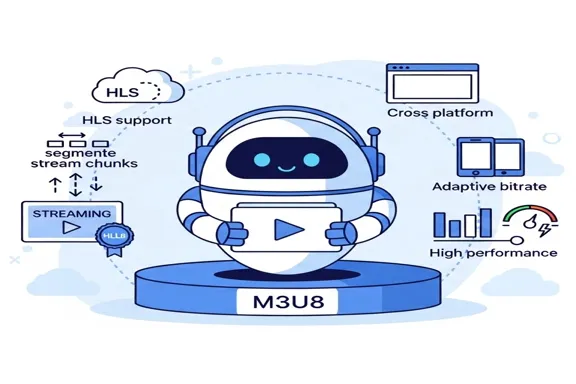
这个工具能做什么
当你只需要视频里的声音,不需要画面时,这个工具可以直接保留音轨并导出常用音频格式,适合播客整理、培训录音提取、访谈音频留档和二次剪辑。
- 从视频直接提取音轨无需打开复杂剪辑软件,上传视频后即可导出纯音频文件。
- 兼顾通用与编辑场景MP3 适合分发,WAV 适合继续编辑,M4A 兼顾体积和音质。
- 本地处理更省心文件只在当前浏览器中处理,敏感素材不需要传到外部服务器。
核心功能
围绕稳定、直接的视频转音频流程设计
支持常见视频格式
兼容 MP4、MOV、MKV、WebM,覆盖常见导出与录屏来源。
三种输出格式
可导出 MP3、WAV、M4A,满足分享、存档和后期处理需求。
清晰的处理状态
加载、转换、完成和失败状态都明确展示,便于快速判断问题。
Why use this extractor
Most users do not need a full nonlinear editing session just to keep the sound track. They need a reliable extraction pass that is quick, private, and easy to repeat. This page is optimized for that exact job.
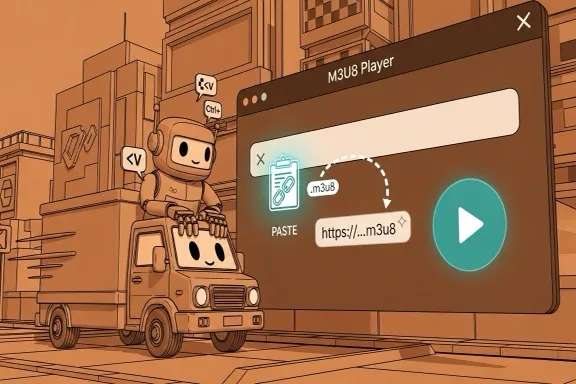

How to extract audio from video online
A straightforward six-step workflow
Step 1 - Open the extractor
Go to the extraction area on this page. No account, plugin, or desktop installation is required before you start.
Step 2 - Upload your video
Drag and drop or select MP4, MOV, MKV, or WebM. If validation fails, first check extension and source size.
Step 3 - Choose output format
Pick MP3, WAV, or M4A based on where the file will be used next. Keep the decision explicit for cleaner downstream workflows.
Step 4 - Set MP3 bitrate when needed
If output is MP3, choose 128 for lightweight drafts, 192 for balanced usage, or 320 for higher fidelity review and sharing.
Step 5 - Start extraction
Run extraction and monitor progress. Large files may take longer depending on your local machine, but no remote queue is involved.
Step 6 - Download and verify
Download the output with the original base filename and new extension. Open it in your target tool to confirm quality and compatibility.
Made for repeat extraction tasks
A stable conversion path for practical team workflows
Input formats
4
MP4, MOV, MKV, WebM
Output formats
3
MP3, WAV, M4A
Privacy model
Local
No server upload required
What users say
Feedback from teams that frequently split audio from source video
Megan Ortiz
Podcast Producer
We get interview recordings as video all the time. This tool saves us from opening a full editor when we only need the audio track for production prep.
Kenji Watanabe
Learning Content Manager
Our training team extracts narration from webinars for transcript review. The local processing model is a big plus for internal material.
Priya Shah
Marketing Editor
For campaign workflows, quick MP3 extraction is enough most days. The bitrate option helps us keep file size under control for fast approvals.
常见问题
关于格式、质量和处理方式的常见说明
需要上传视频到服务器吗?
不需要。提取过程在浏览器本地执行,源文件不会上传。
支持哪些输入格式?
当前支持 MP4、MOV、MKV 和 WebM 视频文件。
可以导出哪些音频格式?
支持导出 MP3、WAV 和 M4A。
如果提取失败怎么办?
先确认源文件没有损坏,格式在支持范围内,并尝试关闭占用较高的浏览器标签页后重试。
现在开始提取音频
提取完成后,你还可以继续使用站内工具做格式转换或音频裁剪。