

Letakkan file video di sini atau klik untuk memilih
Mendukung file video MP4, MOV, MKV, dan WebM
Ekstrak audio secara lokal di browser Anda. Tidak perlu unggah.
Ukuran file maksimum: 500MB
Format keluaran
Bitrate MP3
Banyak Format
Mendukung MP4/WEBM/MKV/AVI dan lainnya
Tanpa Instalasi
Didukung oleh FFmpeg.wasm, berjalan di browser
Kontrol Kualitas Penuh
Sesuaikan CRF, resolusi, dan parameter codec
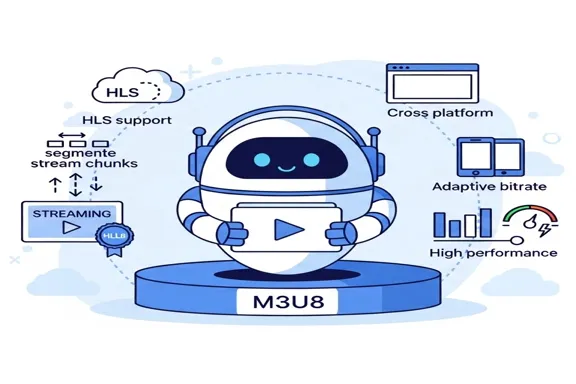
Apa yang dilakukan alat ini
Jika Anda hanya membutuhkan suara tanpa gambar, alat ini memisahkan trek audio langsung dari video. Cocok untuk wawancara, pelatihan, webinar, dan arsip internal.
- Ambil trek audio secara langsungTidak perlu membuka editor berat hanya untuk menyimpan audio dari video.
- Format keluaran yang praktisMP3 untuk berbagi, WAV untuk penyuntingan, M4A untuk keseimbangan ukuran dan kualitas.
- Diproses secara lokalFile diproses di browser dan tidak perlu dikirim ke server eksternal.
Fitur utama
Alur video-ke-audio yang sederhana dan stabil
Mendukung format umum
MP4, MOV, MKV, dan WebM diterima tanpa langkah tambahan.
Tiga format audio keluaran
Ekspor ke MP3, WAV, atau M4A sesuai kebutuhan akhir Anda.
Status proses jelas
Memuat, mengonversi, selesai, dan gagal ditampilkan dengan jelas di antarmuka.
Why use this extractor
Most users do not need a full nonlinear editing session just to keep the sound track. They need a reliable extraction pass that is quick, private, and easy to repeat. This page is optimized for that exact job.
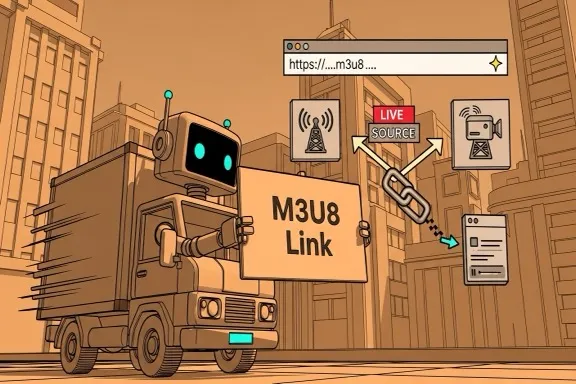
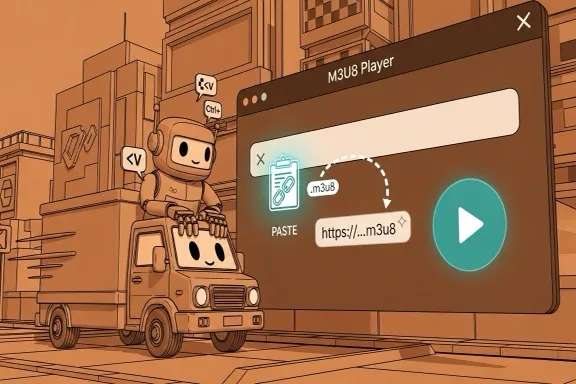

How to extract audio from video online
A straightforward six-step workflow
Step 1 - Open the extractor
Go to the extraction area on this page. No account, plugin, or desktop installation is required before you start.
Step 2 - Upload your video
Drag and drop or select MP4, MOV, MKV, or WebM. If validation fails, first check extension and source size.
Step 3 - Choose output format
Pick MP3, WAV, or M4A based on where the file will be used next. Keep the decision explicit for cleaner downstream workflows.
Step 4 - Set MP3 bitrate when needed
If output is MP3, choose 128 for lightweight drafts, 192 for balanced usage, or 320 for higher fidelity review and sharing.
Step 5 - Start extraction
Run extraction and monitor progress. Large files may take longer depending on your local machine, but no remote queue is involved.
Step 6 - Download and verify
Download the output with the original base filename and new extension. Open it in your target tool to confirm quality and compatibility.
Made for repeat extraction tasks
A stable conversion path for practical team workflows
Input formats
4
MP4, MOV, MKV, WebM
Output formats
3
MP3, WAV, M4A
Privacy model
Local
No server upload required
What users say
Feedback from teams that frequently split audio from source video
Megan Ortiz
Podcast Producer
We get interview recordings as video all the time. This tool saves us from opening a full editor when we only need the audio track for production prep.
Kenji Watanabe
Learning Content Manager
Our training team extracts narration from webinars for transcript review. The local processing model is a big plus for internal material.
Priya Shah
Marketing Editor
For campaign workflows, quick MP3 extraction is enough most days. The bitrate option helps us keep file size under control for fast approvals.
Pertanyaan umum
Ringkasan dasar tentang format dan pemrosesan
Apakah video diunggah ke server?
Tidak. Proses berjalan lokal di browser dan file sumber tetap di perangkat Anda.
Format input apa yang didukung?
Saat ini mendukung MP4, MOV, MKV, dan WebM.
Format audio apa yang bisa diekspor?
Anda dapat mengekspor MP3, WAV, dan M4A.
Apa yang harus dilakukan jika gagal?
Periksa apakah file rusak, pastikan formatnya didukung, lalu tutup tab browser yang berat sebelum mencoba lagi.
Mulai ekstraksi audio
Setelah selesai, Anda bisa lanjut memakai alat lain untuk mengonversi atau memangkas hasilnya.